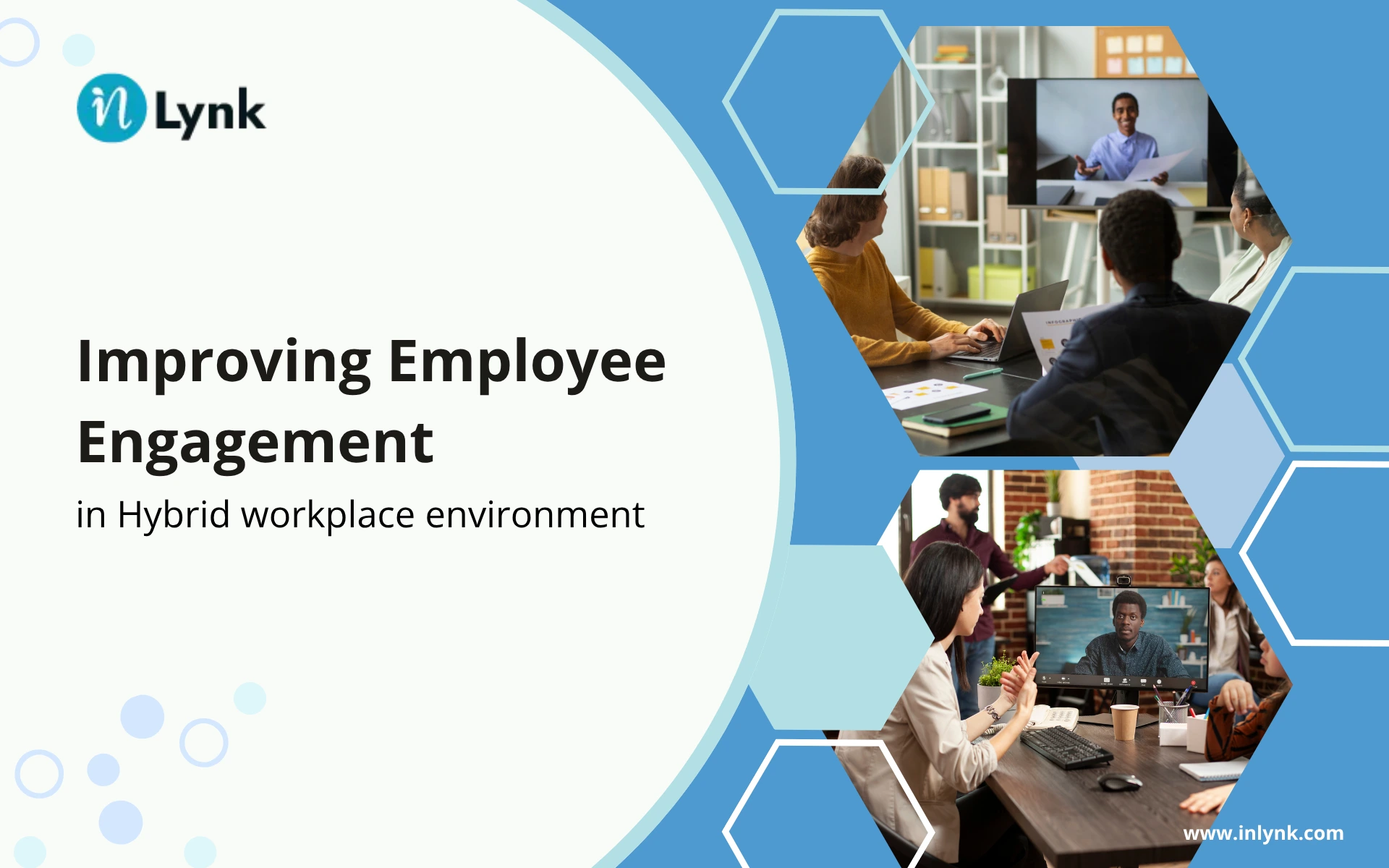
Keeping employees engaged is not always easy when some people work from home and others work from the office.
A quick conversation in the hallway, an informal team discussion, or a simple “good job” from a manager happens naturally when everyone is together. In a hybrid workspace, those moments don’t happen as often. Important updates can also get lost between email, chat apps, meetings, and other workplace tools.
This is one reason businesses are looking at employee engagement software for hybrid workplaces.
A good platform can give employees one place to stay informed, communicate with colleagues, share feedback, recognize good work, and take part in company activities. It can also make things easier for HR teams that are tired of managing several disconnected tools.
But choosing employee engagement software isn’t about picking the platform with the longest feature list.
The better question is: Does the software actually solve the engagement problems your hybrid employees are facing?
In this guide, we’ll look at practical ways to improve employee engagement, the features worth considering in employee engagement software, how technology can support hybrid teams, and what businesses should evaluate before choosing a platform.
Table of Contents:
- Why Employee Engagement Matters in a Hybrid Workplace
- What to Look for in Employee Engagement Software
- 7 Features of Effective Employee Engagement Software
- How Employee Engagement Software Supports Hybrid Teams
- How to Track and Improve Hybrid Employee Engagement
- Employee Engagement Software vs. Multiple Workplace Tools
- How to Choose the Right Employee Engagement Software
- Is inLynk the Right Employee Engagement Platform for Your Business?
- Final Action Plan for a More Connected Hybrid Workplace
- FAQs
Why Employee Engagement Matters in a Hybrid Workplace
Hybrid work has changed the way employees interact with their companies.
In a traditional office, people naturally spend time together. They can ask a colleague a quick question, hear an announcement from their manager, celebrate a team achievement, or simply have a conversation during the day.
With hybrid work, those interactions need more planning.
Someone working from home might miss an informal discussion that happened in the office. A manager may unintentionally give more visibility to employees they see regularly. Employees may also have to search through different applications to find company news, documents, conversations, or feedback forms.
This doesn’t mean hybrid work is bad for engagement. It simply means businesses need to be more intentional about how they keep people connected.
An employee engagement platform can help create that connection digitally.
Instead of depending entirely on face-to-face interaction, businesses can provide employees with a central place for communication, recognition, feedback, collaboration, learning, and other engagement activities.
The aim isn’t to replace personal interaction. It’s to make sure employees have a consistent experience whether they’re sitting in the office, working from home, or moving between both.
What to Look for in Employee Engagement Software
There are plenty of employee engagement platforms available, and not all of them work in the same way.
Before comparing software, think about the problems you are actually trying to solve.
For example, is communication scattered across several applications? Are remote employees missing important updates? Is employee recognition inconsistent? Does HR have difficulty collecting feedback and understanding engagement trends?
The answers to these questions should guide your software selection.
Here are some areas worth considering.
Support for Hybrid Teams
The platform should work well for people regardless of where they work.
Remote employees shouldn’t have a different experience from employees sitting in the office. Important announcements, recognition, feedback opportunities, learning resources, and company information should be accessible to everyone.
A strong digital employee experience should make location less of a barrier to participation.
Communication
Employees need a simple way to find company news, announcements, updates, and important information.
If employees have to check email, messaging apps, intranet pages, and other systems just to find basic company information, communication quickly becomes frustrating.
Look for a platform that gives employees a clear place to stay informed.
Recognition
Good work shouldn’t only be noticed when someone happens to be sitting near their manager.
Recognition tools can give managers and colleagues a simple way to acknowledge contributions, celebrate achievements, and make good work more visible across the organization.
This can be particularly useful for remote employees who don’t have as many opportunities for informal recognition.
Feedback
An annual employee survey only provides a snapshot of how people feel at one point in time.
Regular feedback and pulse surveys can give HR teams a better understanding of employee concerns and changing expectations.
More importantly, businesses should have a process for acting on the feedback they receive.
Collaboration
Hybrid employees still need opportunities to work and interact with their colleagues outside formal meetings.
Collaboration tools can provide spaces for teams to discuss projects, share information, ask questions, and stay connected.
The goal is to make collaboration easier without forcing employees to switch between different applications constantly.
Analytics
Engagement software should provide useful information, not simply collect data.
HR and leadership teams may want to understand participation, survey responses, recognition activity, or other engagement trends.
These insights can help identify areas that need attention and show whether engagement initiatives are actually being used.
Ease of Use
A platform can have every feature imaginable and still fail if employees don’t want to use it.
When comparing solutions, consider how easy it is to navigate, find information, communicate with colleagues, and complete everyday activities.
Employee adoption matters just as much as the feature list.
Integrations
Your engagement platform shouldn’t necessarily exist in isolation.
Check whether it can work with the systems your organization already uses. Good integrations can reduce duplicate work and make it easier for employees to move between business processes.
7 Features of Effective Employee Engagement Software
Every organization has different requirements, but several features are particularly useful when managing engagement across a hybrid workforce.
1. Employee Communication
Communication becomes more important when employees aren’t always in the same place.
Employee engagement software should give organizations a reliable way to share company news, announcements, updates, and other important information.
It can also help employees know where to go when they need something from the organization.
Instead of important information being scattered across email and different messaging channels, a centralized communication space can make everyday communication easier to manage.
For hybrid teams, consistency is important. An employee working from home should have the same access to company information as someone working from the office.
2. Employee Recognition
Recognition is one of those things that can easily become uneven in a hybrid workplace.
An employee who is regularly seen in the office may receive more informal recognition simply because their work is more visible. Someone working remotely can make equally valuable contributions without receiving the same attention.
Recognition features give managers and employees another way to acknowledge good work.
Whether it’s completing an important project, helping a colleague, reaching a milestone, or simply going above expectations, making those contributions visible can help create a stronger workplace culture.
3. Feedback and Surveys
Employee engagement starts with listening.
Feedback and survey tools give employees a way to share their experiences, concerns, and suggestions. They also give HR teams information they can use when reviewing workplace initiatives.
For hybrid organizations, this can be particularly useful because employees can have very different experiences depending on their location, role, manager, and working arrangement.
The important part is not simply asking questions. Employees need to see that their feedback is being considered and, where appropriate, acted upon.
4. Collaboration
Not every employee interaction needs to happen in a scheduled video meeting.
Teams need places where they can discuss ideas, share information, ask questions, and work together throughout the day.
This becomes particularly important for hybrid teams, where employees may not have the same opportunities for informal interaction. Microsoft’s Work Trend Index has highlighted how hybrid work can affect workplace connections, making intentional collaboration more important.
Collaboration tools can make these interactions easier, particularly when team members are spread across different locations.
They can also help reduce the feeling that remote employees are working separately from the rest of the organization.
5. Employee Communities
Work isn’t only about projects and deadlines.
Employees also build relationships through shared interests, team activities, company initiatives, and informal conversations.
Employee communities can provide digital spaces for these interactions. They can be based around departments, interests, locations, employee groups, or other areas that matter to the organization.
For a hybrid workforce, these spaces can help recreate some of the social connection that happens naturally in an office.
6. Learning and Development
Professional growth shouldn’t depend on where an employee works.
If training and development opportunities are mainly shared in the office, remote employees can easily feel left out.
Learning and development features can give employees access to training materials, development opportunities, mentoring resources, and other learning initiatives from wherever they work.
This also gives organizations a more consistent way to communicate development opportunities across the workforce.
7. Analytics and Reporting
It’s difficult to improve engagement if you don’t understand what’s happening.
Depending on the platform, analytics may help organizations review survey participation, recognition activity, feedback trends, or other engagement signals.
The purpose isn’t to monitor every action an employee takes.
Instead, the goal is to identify broader patterns. For example, if participation in a particular initiative is consistently low, that may be a sign that the activity needs to be changed or communicated differently.
How Employee Engagement Software Supports Hybrid Teams
A good hybrid engagement strategy needs to address three basic areas: equity, flexibility, and continuity.
Equity
Employees should have comparable access to information, recognition, learning opportunities, feedback, and company activities regardless of their location.
This is also consistent with Gallup’s research on hybrid and remote teams, which highlights clear expectations, regular manager-employee conversations, and intentional team practices as important factors in supporting engagement across different work locations.
This doesn’t mean every employee needs to work in exactly the same way. It means they shouldn’t miss opportunities simply because they’re working remotely.
Flexibility
One of the main benefits of hybrid work is flexibility.
Engagement technology should support that flexibility instead of creating another reason for employees to stay constantly connected.
Employees should be able to access information and participate when it makes sense for their work.
Continuity
Employees may work from home one day and from the office the next.
Their digital experience shouldn’t suddenly change because their physical location has changed.
Having a connected digital environment can help employees find information, communicate with colleagues, participate in company activities, and stay connected to the organization wherever they work.
How to Track and Improve Hybrid Employee Engagement
Employee engagement isn’t something you can measure with one number.
Businesses can look at several different signals to understand how employees are experiencing the workplace.
Employee Net Promoter Score
eNPS can show how likely employees are to recommend their company as a place to work.
It’s useful as one indicator, but it shouldn’t be treated as the complete measure of engagement.
Retention and Turnover
Employee retention can provide useful context when reviewing engagement.
If good employees consistently leave, it may be worth looking beyond compensation and examining their overall workplace experience.
Employee Feedback
Regular surveys and feedback can reveal issues that aren’t obvious from other metrics.
The important part is closing the loop. If employees take the time to provide feedback, they should be able to see that the organization is listening.
Participation and Engagement Data
Depending on the software you use, you may also be able to review participation in recognition programs, communication activities, employee communities, surveys, or learning initiatives.
These numbers shouldn’t be used to judge individual employees. They are more useful for identifying broader trends across teams and the organization.
Turning Data into Action
Collecting data is only the beginning.
Start by identifying one or two areas where employees are experiencing problems. Review the available feedback, discuss the findings with the appropriate teams, and create a practical action plan.
Then communicate what is being done.
That last step matters. Employees are more likely to continue providing feedback when they can see that their input leads to meaningful action.
Employee Engagement Software vs. Multiple Workplace Tools
Many businesses use several different applications to manage employee engagement.
One tool may handle communication. Another may be used for surveys. Recognition could happen somewhere else, while learning and collaboration are handled through separate systems.
There’s nothing inherently wrong with this approach. In some organizations, specialized tools may be necessary.
The problem starts when the collection of tools becomes difficult to manage.
Employees may have to remember multiple passwords, learn different interfaces, and figure out where a particular activity belongs. HR and IT teams also have more systems to manage, maintain, and support.
A unified digital workspace takes a different approach.
Rather than separating every engagement activity, it brings more of these interactions into one connected environment.
That doesn’t mean every organization needs to replace all of its existing software. The better question is whether the current technology setup is making employee engagement easier or creating unnecessary complexity.
How to Choose the Right Employee Engagement Software
When you’re comparing employee engagement software for a hybrid workplace, don’t start by counting features.
Start with your employees.
Ask what is currently difficult for them. Then compare platforms based on how well they solve those problems.
| Evaluation Area | What to Check |
|---|---|
| Hybrid workforce support | Can remote and office employees access the same engagement resources? |
| Communication | Can employees easily find company announcements and updates? |
| Recognition | Can managers and employees recognize contributions? |
| Feedback | Does the platform support surveys and ongoing feedback? |
| Collaboration | Can employees communicate without constantly switching tools? |
| Analytics | Can HR understand engagement and participation trends? |
| Integrations | Can the platform connect with your existing business systems? |
| Ease of use | Can employees start using it without extensive training? |
| Scalability | Can it support your organization as the workforce grows? |
| Security | Does it provide appropriate protection for company and employee information? |
It’s also worth involving employees in the evaluation.
A product may look impressive during a sales demonstration, but that doesn’t necessarily mean employees will enjoy using it every day.
If possible, give a small group of employees an opportunity to try the platform. Ask them how easy it is to find information, communicate, recognize colleagues, provide feedback, and complete common tasks.
Their feedback can reveal problems that aren’t obvious from a feature list.
Is inLynk the Right Employee Engagement Platform for Your Business?
The right employee engagement platform depends on what your organization needs.
For businesses that want to reduce some of the disconnected tools used across their workforce, inLynk provides a unified digital environment for employee communication, collaboration, and engagement.
The idea is to bring more of these interactions together instead of making employees move between different systems for every activity.
For hybrid organizations, this can provide a more consistent digital experience. Employees can stay connected to company information, communicate with colleagues, participate in engagement activities, and access shared resources from wherever they work.
inLynk can be a good option for organizations looking for a broader employee experience approach rather than another standalone tool focused on just one activity.
Of course, every business has different requirements. Before making a decision, compare the platform’s capabilities with your existing workflows, employee needs, integrations, security requirements, and long-term plans.
Final Action Plan for a More Connected Hybrid Workplace
Improving engagement in a hybrid workplace isn’t about finding one magic solution.
Start by looking at where employees are experiencing the most friction.
Are important updates being missed? Are remote employees getting the same recognition as people in the office? Are employees jumping between too many applications? Is there an easy way for people to share feedback?
Once you understand the gaps, you can decide which capabilities matter most.
For one company, better communication might be the priority. Another may need stronger recognition and feedback tools. A growing organization may be more concerned about bringing several disconnected systems together.
The important thing is to choose software based on the needs of your employees rather than simply selecting the platform with the biggest feature list.
If you’re evaluating employee engagement software for a hybrid workplace, inLynk can help you explore a more connected approach to communication, collaboration, and employee engagement.
FAQs
What is the best employee engagement software for hybrid workplaces?
There isn’t one platform that is automatically the best for every organization. The right choice depends on your workforce, goals, existing technology, and budget. Look for software that supports communication, recognition, feedback, collaboration, analytics, and equal access for remote and office employees.
What should I look for in employee engagement software?
Look for features such as employee communication, recognition, surveys and feedback, collaboration, employee communities, learning and development, analytics, integrations, security, ease of use, and scalability.
How does employee engagement software help hybrid teams?
It can give hybrid employees a central place to access company information, communicate with colleagues, recognize contributions, provide feedback, and participate in company activities. This can help create a more consistent experience for employees working from different locations.
How do you measure engagement in hybrid teams?
Businesses can combine several indicators, including employee surveys, eNPS, retention and turnover, feedback, participation, recognition activity, and other engagement data. Looking at multiple signals usually provides a more useful picture than relying on a single metric.
Why is employee engagement important in a hybrid workplace?
Employees working remotely may not have the same informal interactions and visibility as people working in an office. A strong engagement strategy helps create a more consistent experience and gives everyone opportunities to communicate, participate, receive recognition, and stay connected.
Leave a Reply